
What Is OpenCode Go?
OpenCode Go is a low-cost subscription plan from Anomaly, the company behind the wildly popular open-source AI coding agent OpenCode. OpenCode itself is free, open source, and has over 160,000 GitHub stars. You can use it with your own API keys from any provider. But OpenCode Go fills a specific need: it gives you a curated, reliable, and very affordable way to access some of the best open-source coding models without having to shop around across multiple providers.
For $5 your first month and $10/month after that, you get access to a hand-picked lineup of open models that the OpenCode team has tested, benchmarked, and verified to work well in coding agent workflows. Think of it as a backstage pass to the models that actually deliver, without the headache of managing multiple API keys or worrying about provider reliability.
How It Works
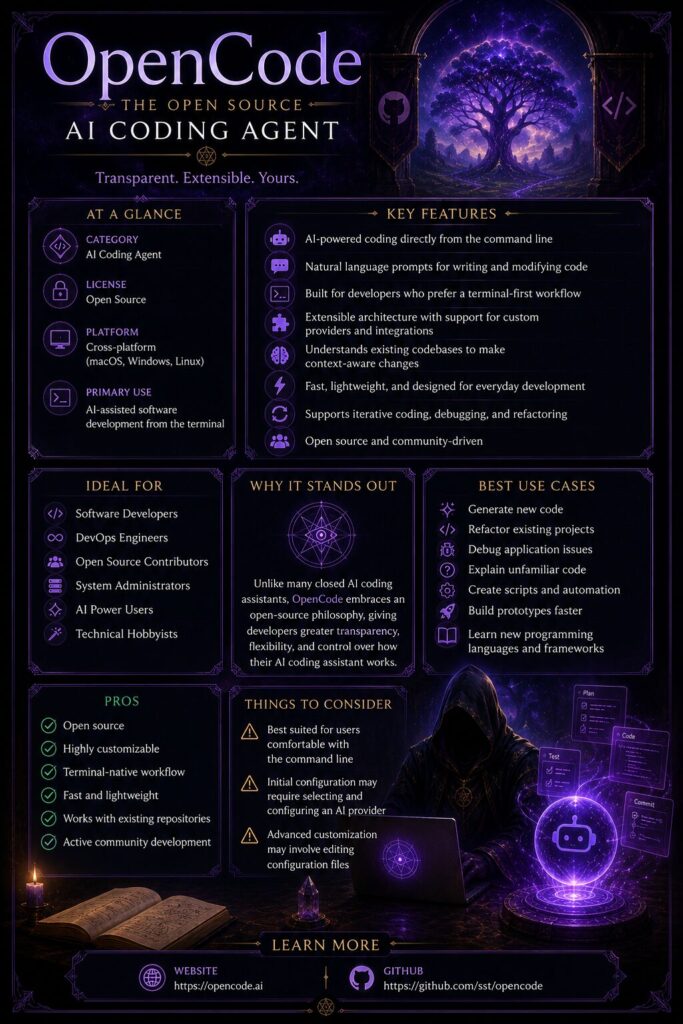
Setting up OpenCode Go is refreshingly simple. You sign into OpenCode Zen (the Anomaly platform), subscribe to Go, and grab your API key. Then you run the `/connect` command in the OpenCode TUI, select OpenCode Go, and paste your key. That is it. Run `/models` and you will see the full list of available models ready to use.
Importantly, Go works like any other provider inside OpenCode. You can switch between Go models and any other configured provider on the fly. And because Go exposes standard OpenAI-compatible and Anthropic-compatible endpoints, you can even use it with other coding agents or tools outside of OpenCode.
Models And Performance
The model lineup is where OpenCode Go really shines. The team has curated 13 models spanning several model families:
High-End Reasoning Models
- GLM-5.2 and GLM-5.1 — The top-tier GLM models, ideal for complex coding tasks
- Kimi K2.7 Code — Purpose-built for coding with excellent code-generation capabilities
- Qwen3.7 Max — Alibaba’s flagship large model at a very competitive price point
Strong All-Rounders
- Kimi K2.6 — Strong general coding performance
- MiMo-V2.5-Pro — A solid middle-ground option with good speed
- Qwen3.7 Plus and Qwen3.6 Plus — Great value for everyday coding tasks
- MiniMax M3 and MiniMax M2.7 — Fast, reliable options with strong token economics
Budget / High-Volume Options
- DeepSeek V4 Pro — Excellent performance-to-cost ratio
- DeepSeek V4 Flash — The volume king: over 31,600 requests per 5-hour window
- MiMo-V2.5 — Also incredibly economical at over 30,000 requests per 5 hours
The usage limits are structured as dollar values: $12 per 5-hour window, $30 per week, and $60 per month. Because different models have different per-token costs, your actual request count varies by model. Choosing DeepSeek V4 Flash or MiMo-V2.5 stretches that dollar value remarkably far, while GLM-5.2 or Qwen3.7 Max gets you fewer requests but more capable reasoning.
In real-world terms, these limits are generous. The free tier of OpenCode is usable but rate-limited. Go lifts those limits substantially and adds priority access, making it a viable daily driver for professional development work.
Design And Usability
OpenCode itself is a terminal-based TUI (text user interface) that is polished, fast, and intuitive. If you have used tools like Claude Code or Codex, the interface will feel familiar and comfortable. The `/connect` and `/models` commands make switching between Go and other providers seamless.
The desktop app (currently in beta on macOS, Windows, and Linux) adds a more traditional visual interface for those who prefer not to live in the terminal. The Go plan works identically across both the TUI and the desktop app.
One small hiccup: you need to manage your Go subscription through the Zen web console. That is a separate login from OpenCode itself, which adds a tiny bit of friction on first setup. But it is a one-time thing, and after that, everything just works.
Privacy
Privacy is a clear priority here. The OpenCode team does not store any of your code or context data. The supporting providers for Go models follow a zero-retention policy and do not use your data for model training. Models are hosted across the US, EU, and Singapore for stable global access, and no data is used to improve third-party models behind the scenes. For developers working in privacy-sensitive environments, this is a meaningful differentiator compared to some competitor offerings.
Pricing
Let’s talk about the headline number. $10/month, with your first month at just $5.
For that price, you get:
- Access to 13 curated open-source coding models
- $60/month in usage value
- Priority access over the free tier
- The ability to top up with credits if you hit your limits
- Freedom to cancel anytime
Compared to bringing your own API keys: running DeepSeek V4 Flash or MiMo-V2.5 through a third-party provider is already cheap, but Go bundles reliability and convenience into a single predictable bill. If you hit your usage limits, you can flip on the “Use balance” option in the console, which seamlessly falls back to your Zen credits so you are never blocked mid-session.
For context, a ChatGPT Plus subscription is $20/month and does not include coding-agent-specific models. Claude Pro is $20/month. Cursor Pro is $20/month. At $10/month, OpenCode Go is half the price of most comparable offerings while still delivering a curated, tested model lineup.
The only catch: one subscription per workspace. If you are on a team, only one person can subscribe under a single workspace. That is fine for individual developers or small teams, but larger teams may need multiple subscriptions or to coordinate shared access.
Comparison: Go vs. Using Your Own API Keys
If you are already using OpenCode for free with your own API keys, why would you pay $10/month for Go?
The honest answer: convenience and reliability. Managing API keys across multiple providers is a chore. Provider outages happen. Model availability changes without notice. Go bundles a curated, tested set of models behind one key and predictable pricing. The OpenCode team has already done the work of figuring out which providers serve each model reliably, so you do not have to.
For light users, the free models in OpenCode plus your own keys are probably enough. For anyone coding with AI daily, the $10/month is easily worth the time you save not messing with provider configuration and rate limits.
Get $5 Off Your First Month with a Referral Code
Want to try OpenCode Go at an even better deal? You can use a referral code at signup to get your first month for just $5 (a 50% discount off the regular first-month price).
Here is my referral link if you want to give it a shot: Subscribe And Get $5 For Yourself!
The referral code is baked right into that link, so it will be applied automatically when you sign up. There is no extra step to remember.
A few things to keep in mind:
- The referral deal applies to new subscribers only
- After the first month, it rolls to the standard $10/month pricing
- You can cancel anytime, so there is really no risk in trying it out for a month
- If you end up loving it, the $10/month ongoing price is still one of the best deals in AI coding tools
Who Should Use It
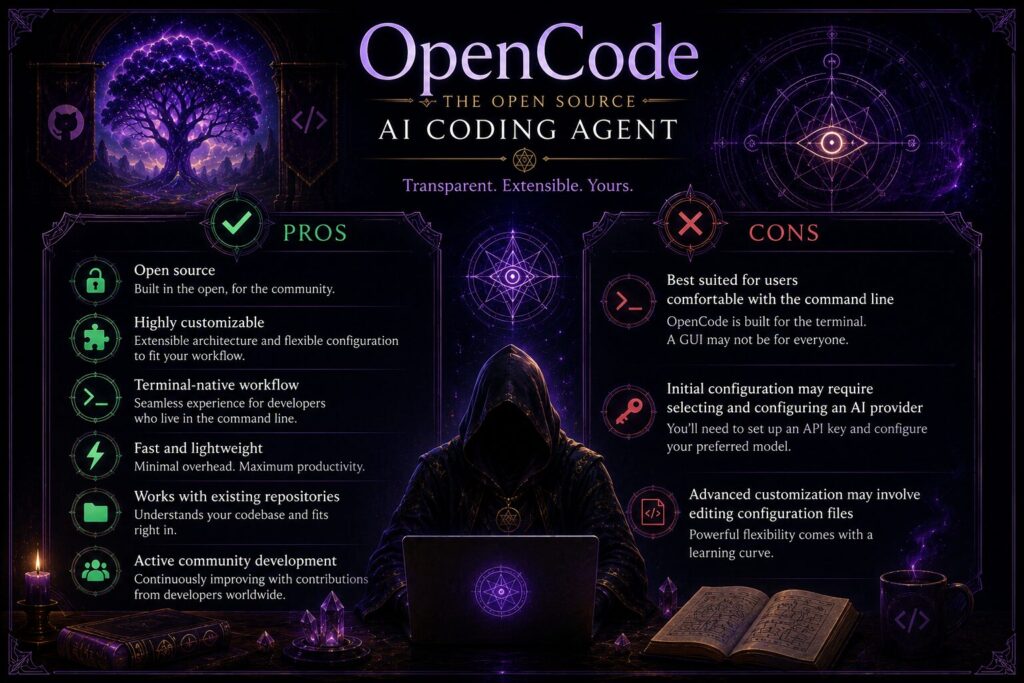
- Best for: Full-time developers who use AI coding agents daily and want a predictable, low-cost way to access strong open-source models.
- Also good for: International developers who need stable, low-latency access with regional hosting (US, EU, Singapore). Hobbyists and students who want serious coding agent capabilities without a serious budget commitment.
- Not ideal for: Developers who specifically need proprietary models (Claude, GPT-4, Gemini) for their workflow. Teams needing per-seat subscriptions without a per-workspace limitation.
Final Verdict
OpenCode Go is one of the best value plays in the AI coding tools space right now. At $10/month (or $5 for your first month), you get a curated, tested, and benchmarked lineup of the strongest open-source coding models, served reliably across global regions, with generous usage limits and a strong privacy stance.
Is it a replacement for Claude Pro or ChatGPT Plus? Not exactly. Those subscriptions unlock proprietary models that some workflows depend on. But as an affordable daily driver for open-source coding models, or as a supplemental subscription to stretch your AI budget further, Go is a fantastic deal.
The combination of curated quality, zero-lock-in flexibility, and that $10 price point makes it easy to recommend. Try the $5 first month and see how far DeepSeek V4 Flash or Kimi K2.7 Code takes you. I suspect you will find it is money well spent.
Part Of The Hermes Agent Series
This article is one piece of a bigger story. Read the whole series in order and get the complete picture of what Hermes Agent can do.