Most mornings a new wallpaper shows up on the gallery. It is sized for the iPhone 18 Pro Max at 1320 by 2868, it arrives as a light version and a night version of the same scene, and it is free with no account, no email, nothing to sign up for. Nine are live so far and enough are built ahead to keep it running for weeks.
The pictures turned out to be the easy part. The work was building something that could ship one a day without me standing over it, and the handful of measurements that made it reliable are more useful to write down than the wallpapers themselves.
The Night Version Is A Grade, Not A Second Render
The obvious way to get a light and a dark version of the same scene is to write two prompts and render twice. I tried that. The two pictures were related the way two photos of the same beach on different days are related: same idea, different everything. The horizon sat somewhere else, the clouds rearranged themselves, the subject drifted.
So the night version is not a second render. It is the daylight frame, graded down.
I measured it to be sure I was not fooling myself. The grade lines up with the original frame at a structural correlation of 0.993. An independently rendered night version of the same scene lined up at 0.19. That is the difference between a slider that changes the light and a slider that moves the land, and it is the entire reason the reveal is worth dragging.
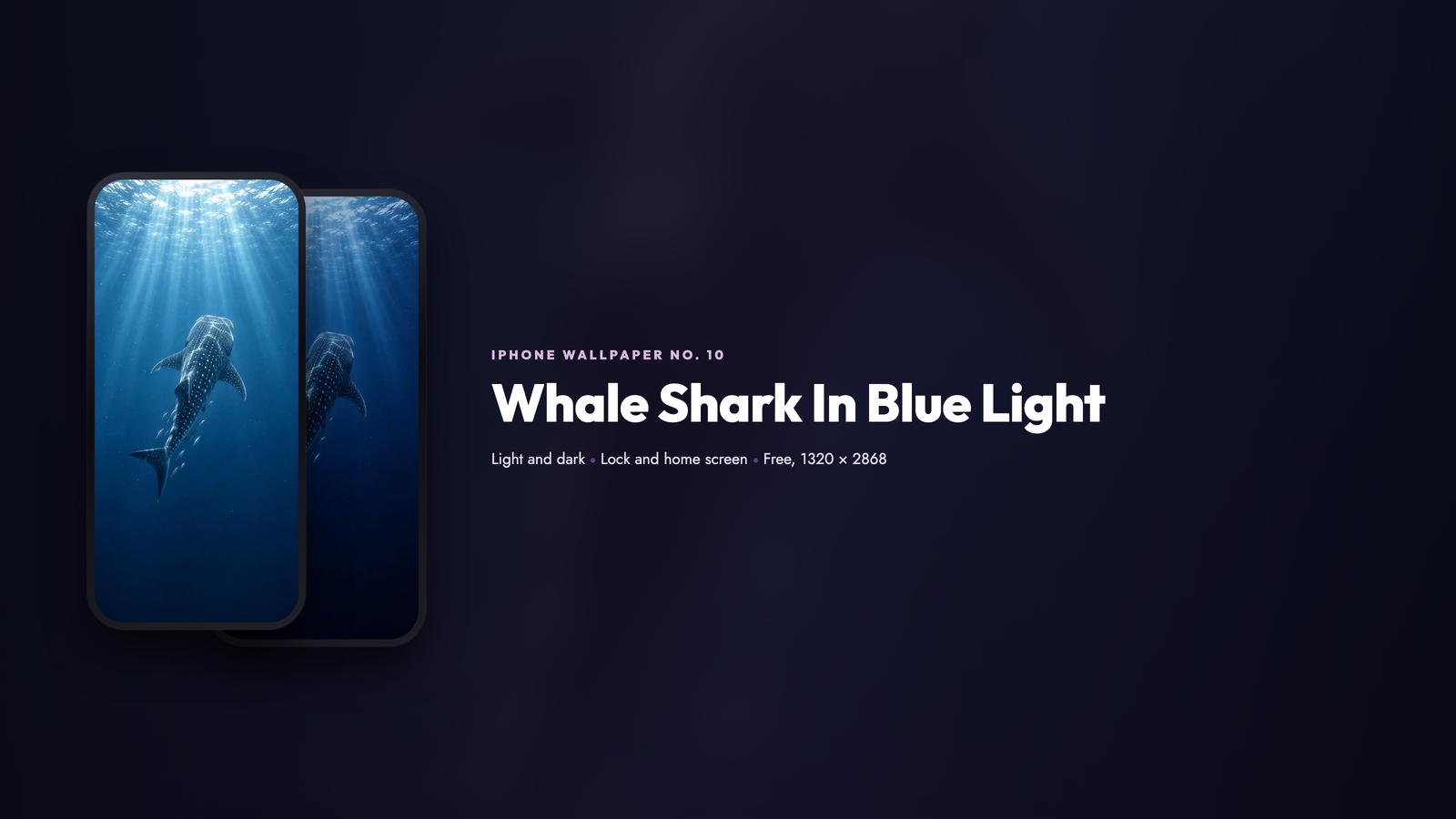
Brightness is a formula rather than a taste call. The night targets half the light frame’s mean brightness, held inside a readable band, and it gets one guard on top: the night is never allowed to sit at or above the brightness of its own light frame. That guard came from a scene that broke the rule, which I will get to.
The night version is a grade of the daylight frame, not a second render. Measured, the grade matches the original at 0.993 while an independent render of the same scene manages 0.19.Cliff
The Image Route Ignores The Size You Ask For
For a while I thought I was picking the resolution. I was not.
On the ChatGPT image route, baseline, a request for 2048 by 3584, and a tall request with “2880 pixels tall, maximum resolution” written into the prompt all came back the same size: 853 by 1844. Across a batch of 20 scenes the renders landed between 851 and 853 wide and 1825 to 1848 tall, which is about as consistent as the route gets. There is also no image-to-image endpoint, so the second frame of a pair has to be derived rather than requested.
That leaves one honest option: upscale once, well. Every wallpaper is that render taken to 1320 by 2868 with LANCZOS and a light unsharp mask, a factor of about 1.55. The file is not native 1320 by 2868 and I am not going to pretend it is, but at phone size the difference is invisible and the composition survives the trip.
Stop asking the image API for a bigger canvas. Ask for the composition you actually want, verify the dimensions you got on the file itself rather than in the response metadata, then do one clean upscale with LANCZOS and a gentle unsharp mask.
Five Megabytes Is A Cliff, And The Obvious Fix Is Wrong
Every image on the site has to stay under five megabytes. That sounds generous until you meet a scene with fine detail in it.
Here is what one batch measured, and the last column is the fix:
| Scene | PNG at 1320 by 2868 | Same PNG, no sharpening | Shipped as |
|---|---|---|---|
| Cracked Mud Flats From Above | 8.05 MB | 7.41 MB | JPEG q95, 2.29 MB |
| Braided River Delta From Above | 6.25 MB | 5.54 MB | JPEG q95, 1.45 MB |
| Bamboo Grove Light Shafts | 6.36 MB | 5.86 MB | JPEG q95, 1.93 MB |
Seven of the 20 scenes in that batch could not fit as a full-color PNG even with the sharpening removed entirely, and the pattern is obvious once you see it: star fields, rain droplets, coral texture, cracked mud. High-frequency detail is expensive to store losslessly, and no amount of quality tuning gets it under the cap.
The trap is the fallback I tried first. A 256-color PNG does fit the cap, and it bands across exactly the smooth gradients those scenes are made of, which is a worse result than the file size problem I was solving. My first pass produced a few of those, the review caught it before any of them went near the site, and all seven were re-rendered properly.
A palette-quantized PNG will fit almost any size limit and it will band on skies, water, and soft shadow. If a photograph will not fit as a PNG, the answer is JPEG at high quality with chroma subsampling turned off, not fewer colors.
Not Every Scene Can Carry A Pair
The pair only works if the light version is actually light. That sounds obvious and I still got it wrong twice.
Two scenes I wrote as night subjects had no pair at all. A milky way over a lone tree measured a light frame mean of 37.7, and rain on a window at night measured 44.9. Both are legitimate pictures. Neither can carry a day and a night version, because the daylight frame was already dark, so the pair came out as dark and darker and the reveal showed you nothing.
The fix is to measure the source before the scene is ever queued, which now happens automatically:
| Light frame mean | What the pair does |
|---|---|
| 88 and above | real day and night, a reveal worth dragging |
| 80 to 84 | fine, the night lands about half the light frame |
| below 54 | two dark frames, do not ship it |
The milky way scene is retired and the rain scene was rewritten as daylight rain on glass, which measures 152.7 and pairs properly. Both prompts were fine. The subject was wrong for the format, and no prompt wording fixes a frame that has no light in it.
Measure the light frame before you commit a scene. A beautiful night photograph is a bad candidate for a day and night pair, and you will not see it in the prompt.
Build Five Ahead, Publish One A Day
The original version did everything in one morning run: render, derive the night, build every asset, upload about a dozen files, create the post, update the gallery, write the tweet. Roughly two and a half minutes, and every one of those steps had to succeed before nine in the morning.
It works, and I did not like it. A render that fails at 8:05am costs you the day, and worse, whatever the renderer produced that morning got published before I had seen it.
So the pipeline builds ahead now. Five posts are prepared as WordPress drafts with their media already uploaded, and the morning job publishes the oldest one and builds one new one to replace it. Publishing a prepared draft is a status change, which is a few seconds and about as close to unbreakable as a network call gets. The render, the uploads and the card builds all happen days earlier, where a failure costs nothing.
Two things I did not expect.
The numbering rule matters more than it looks. The next post number is the published count plus the drafted count plus one, so the buffer has to stay contiguous. Retire one draft without refilling its slot and every post after it shifts.
WordPress rejects a status of trash on a post update with a 400 error. Trashing a draft means a DELETE request, not a field change. This cost me a few minutes and a confusing error.
What I Would Do Differently
Three things, all cheap in hindsight.
Pick the file format before the subject, not after. A scene full of fine detail is a JPEG decision from the start, and finding that out at the upload step wastes a render.
Measure the source frame before writing the prompt. Two of my favourite ideas in the first batch were unusable as pairs because I liked the picture more than I checked the light.
Assume the platform ignores the parameters you set, and verify everything on the output file. The size, the aspect ratio, the dimensions and the file size all came back different from what I asked for at some point, and every one of those surprises was visible in the actual file.
The wallpapers are the point, though, and they are all free. There is a new one most mornings in the gallery, each one with a lock screen and a home screen version in both the light and the dark, and no account needed to download any of it. If you want the wider collection of AI art on the site, that lives here.
Get The Wallpapers: Every scene, light and dark, for the iPhone 18 Pro Max. Free, no account, download the pair and set it up in a minute.
If you are building something similar, the cron job article covers the scheduling half of this and the WordPress REST handbook covers the publishing half.
Part Of The Hermes Agent Series
This article is one piece of a bigger story. Read the whole series in order and get the complete picture of what Hermes Agent can do.
Comments