
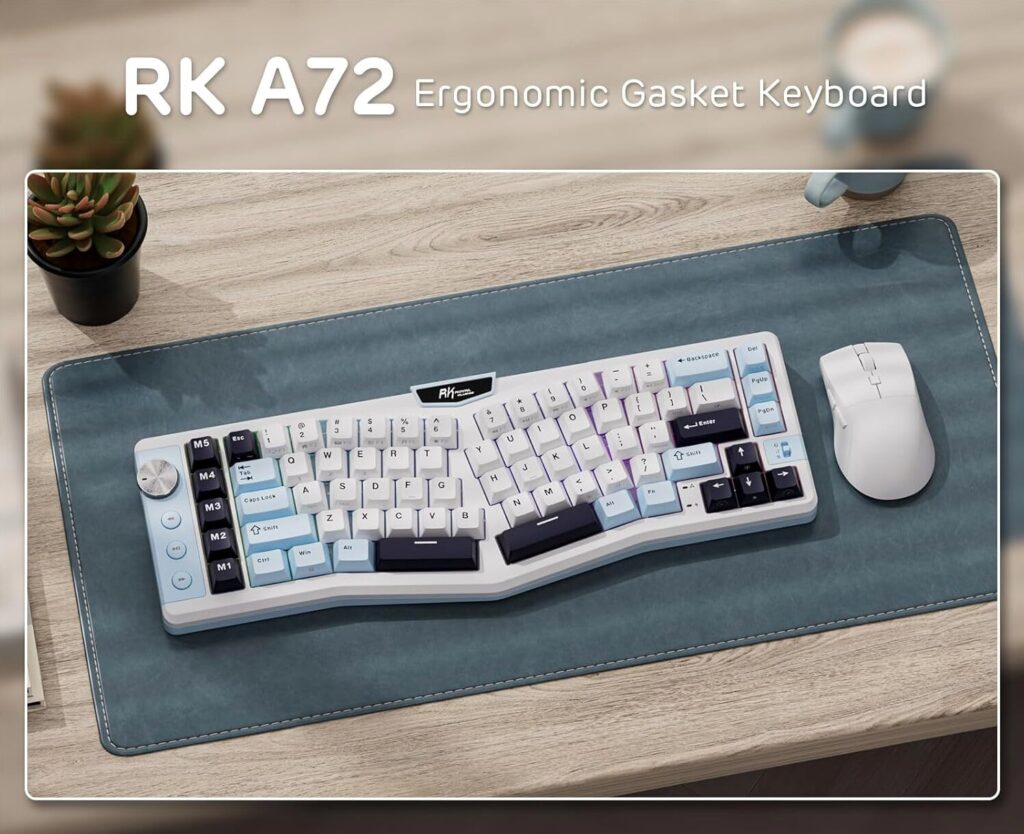
Thanks to the folks over at Royal Kludge, also known as RKGaming, for sending over the Royal Kludge A72 Ergonomic Alice Layout keyboard for review! They sent over the Sky Blue variant, but it also comes in Cloudy Black and Matcha Green variants. You also have a choice of three different switch types, Tactical Beige Switches, Silent Purple Switches or Linear Cream Switches. RK sent me the Sky blue with Silent Purple Switches.
Build Quality
The RK A72 Ergonomic Alice Layout keyboard uses a gasket-mounted design with five layers of internal dampening, including foam and silicone layers, to help reduce hollow noise and provide a softer, more cushioned keystroke feel. This structure tends to give typing a smoother, less “ping-y” acoustic compared to some budget boards.
Keycaps are durable PBT in Cherry profile, which resist oil buildup and shine over time better than ABS keycaps. The split ergonomic Alice layout also encourages a more natural hand posture, potentially reducing strain during long typing sessions.
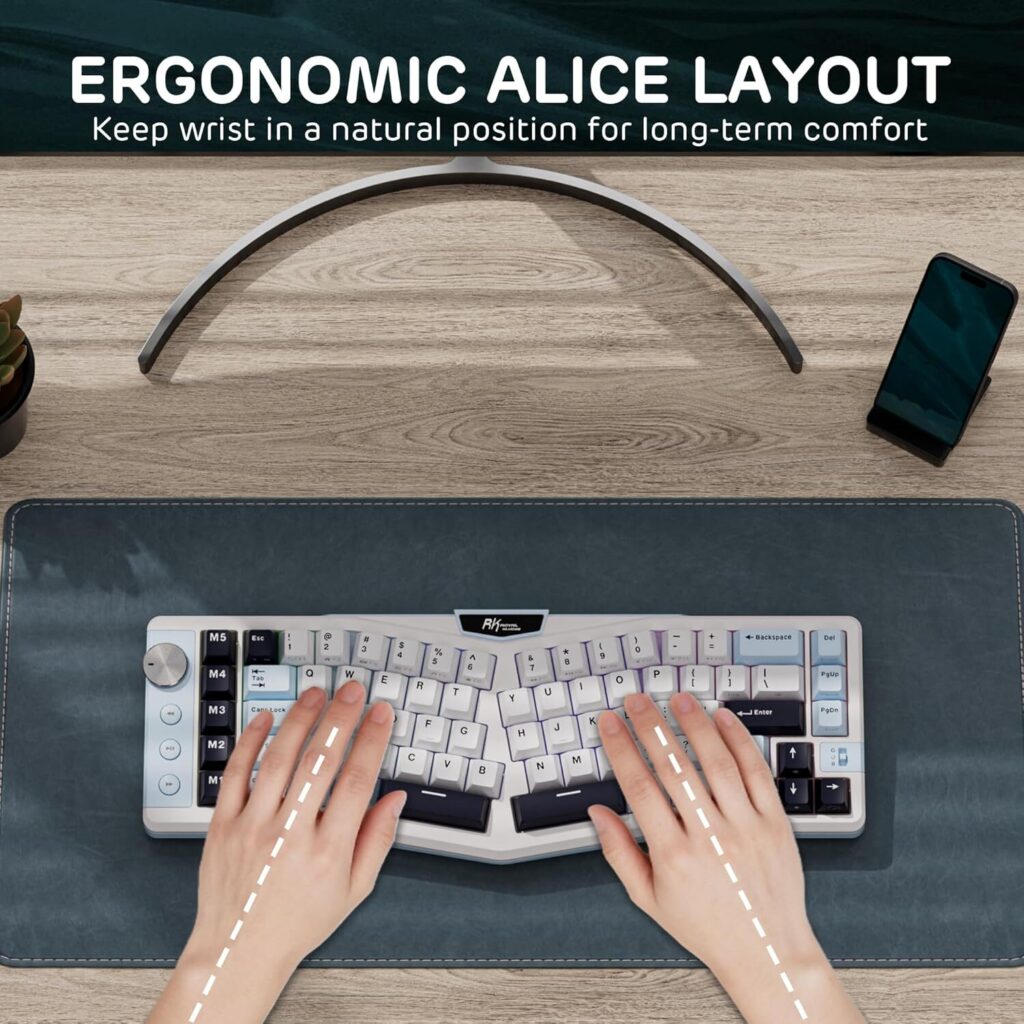
The keyboard includes five dedicated macro keys (M1–M5) and a rotary volume knob, which add both utility and a more premium feel compared with keyboards that rely solely on function layers.
Features
72 Keys, Compact 68% Wireless Keyboard
Tri-Mode Connectivity
Ergonomic Alice Layout With PBT Keycaps
Macro Keys & Media Knob Control
Pre-lubed Custom Switches
Gasket-Mounted Typing Feel
Windows & MacOS Compatible
7500mAh Long Battery
Battery Life
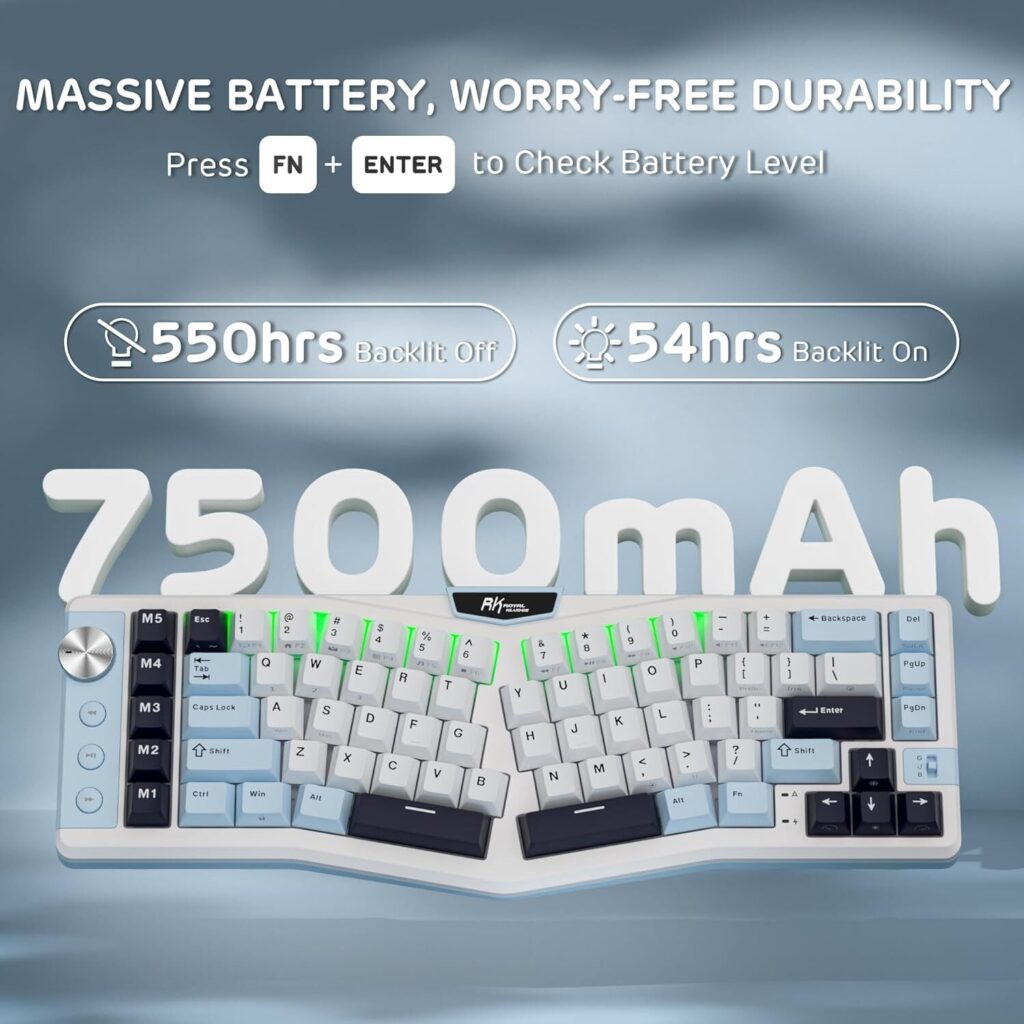
One of the A72’s headline features is its massive 7500 mAh internal battery, which RK claims can provide up to 550 hours of use with RGB off and around 54 hours with lighting on.
That capacity tends to translate into multiple weeks of regular daily use before needing a charge, especially if you use the keyboard in Bluetooth mode without RGB. A handy key combination (FN + Enter) shows battery level without software.
Charging is done over USB-C and reportedly takes around 14 hours for a full charge; longer than some keyboards, but understandable given the large battery.
Performance And Typing Experience
In use, the combination of gasket mounting plus pre-lubed custom switches gives the A72 a softer, more refined typing feel than many entry-level mechanical keyboards.
The ergonomic Alice layout angles the keys inward to promote a more natural wrist posture. Many users find it comfortable for extended typing sessions and less fatiguing than straight 65–75 % boards.
Switch options vary (linear, tactile, silent), and the board is hot-swappable, so you can change switches to suit your preference or future upgrades.
Tri-mode connectivity (2.4 GHz wireless, Bluetooth 5.0, wired) performed well in general, with quick switching between devices. I had no issues switching between them as I have with other brands in the past. So it’s quite nice to see how well it works.
Software
Instead of traditional desktop software, the A72 lets you use a web-based driver that you access through a touchable nameplate/button on the keyboard. This is definitely something new to me, as all the keyboards I’ve reviewed have all required software for this kind of stuff. And to be honest, I really like it this way as I dislike having to install a software EXE file for each and every keyboard that I review.
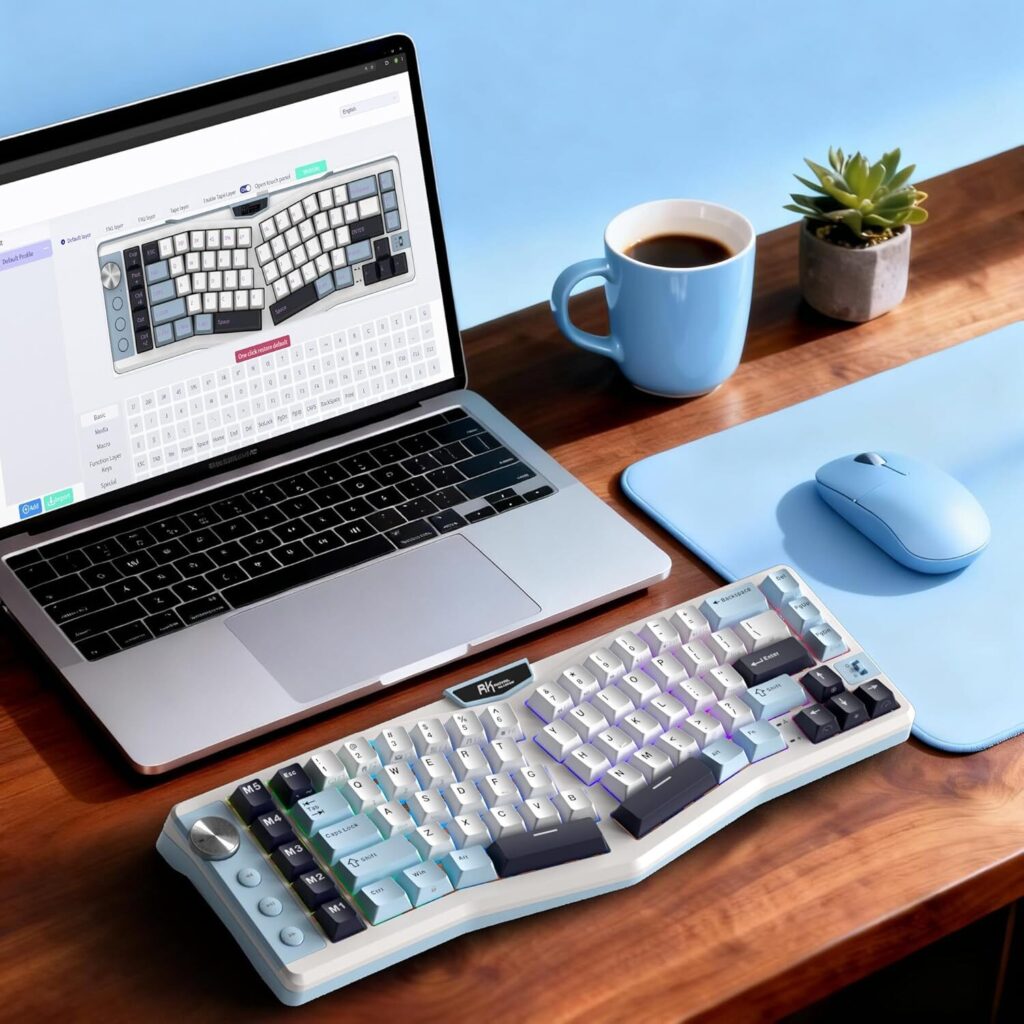
From the online driver you can:
- Remap keys; including the five macro keys
- Configure RGB lighting and effects
- Set macros and functions
- Customize device behavior
This approach does mean no installed software on your machine as I mentioned above, which can be convenient, but also requires an internet connection and sometimes feels less robust than dedicated local software solutions found on mainstream brands. Again, to me, this is something I prefer as I’m always connected to the internet so I don’t have any worries about this.
Pros
Excellent Battery Life: Up to hundreds of hours in wireless modes with RGB off.

Ergonomic Layout & Typing Comfort: Alice design with gasket mount and quality PBT caps support extended use.

Flexible Connectivity & Hot-Swappability: Tri-mode wireless + wired and switch customization options.
Cons
Variable Quality & Support: Brand reputation for warranty and consistent support is mixed.

Web-Based Software Limitations: Browser driver is convenient but can feel less powerful than dedicated apps.

Learning Curve for Layout: Alice layout may not suit all typists and can take time to adjust.
Discount Code
RK has also provided me with a discount code that you can use to purchase this via Amazon if you’d like. That discount code is: RKA72AMK10 and will end on May 31st, 2026 and will save you 10% off your purchase. And this is the link you can purchase it from: RK A72 Ergonomic Keyboard.
Final Thoughts
The RK A72 Ergonomic Keyboard is an appealing mid-range ergonomic mechanical keyboard that punches above its price with features like excellent battery life, a comfortable Alice layout, macro keys, and robust connectivity. It’s best for users who value ergonomic typing and customization, though brand support and software polish may fall short compared with premium competitors.
It’s currently priced at $89.99 which is actually a great price for the quality of keyboard that you’re going to get. There are likely couple/discount codes out there that will save you a bit off of the purchase price, but unfortunately I don’t have a discount code with Royal Kludge at this time to offer that. Definitely something I need to speak to them about if I’m going to review more of their products.
Want More Like This?
I write about AI tools, automation, and the stuff I actually use. If this article helped, there is more where it came from.
Comments