

I stopped using Logitech, or as it’s also known as, Logi, products some years ago. They just didn’t seem to be as good of a company as they once used to be and I decided to move on after years of using nothing but their products.
For some unknown reason to myself, I decided to pick up a Logitech MX Master 4 for the work computer a couple of months ago and now I know why I left Logitech behind all those years ago.
For those that don’t know, Logitech requires a lot of their products, including the MX Master 4, to connect to a server for it to actually work. Why do they do this? I’m not entirely sure but it’s seriously one of the dumbest things that I feel a company could do. Like why the hell does my mouse need to connect to a server to actually work? To get an update, sure. But to actually work, absolutely not!
I’ve never been a fan of the Logitech Options+ app, neither on Windows or since I’ve switched to MacOS a year or so ago. It’s just a horrible app in so many ways and one that I really don’t like to use. However, it mostly sits in the background once you have it setup the way you want for your specific Logitech hardware and then you kind of forget about it.
Yesterday changes a lot of things for me in the fact that the Logitech Options+ app was down for a while which means my mouse wasn’t fully working the way I need it to. Again, totally stupid for this to be the case, but it is what it is.
So I went looking for an alternative for MacOS since I use it on my work MacBook Air. I stumbled across a post by Robb Knight, which you can find here: Logitech Options+ Alternatives, and thankfully he found a few alternatives, but one that is really damn good! And that alternative that I’m referring to is called LinearMouse.
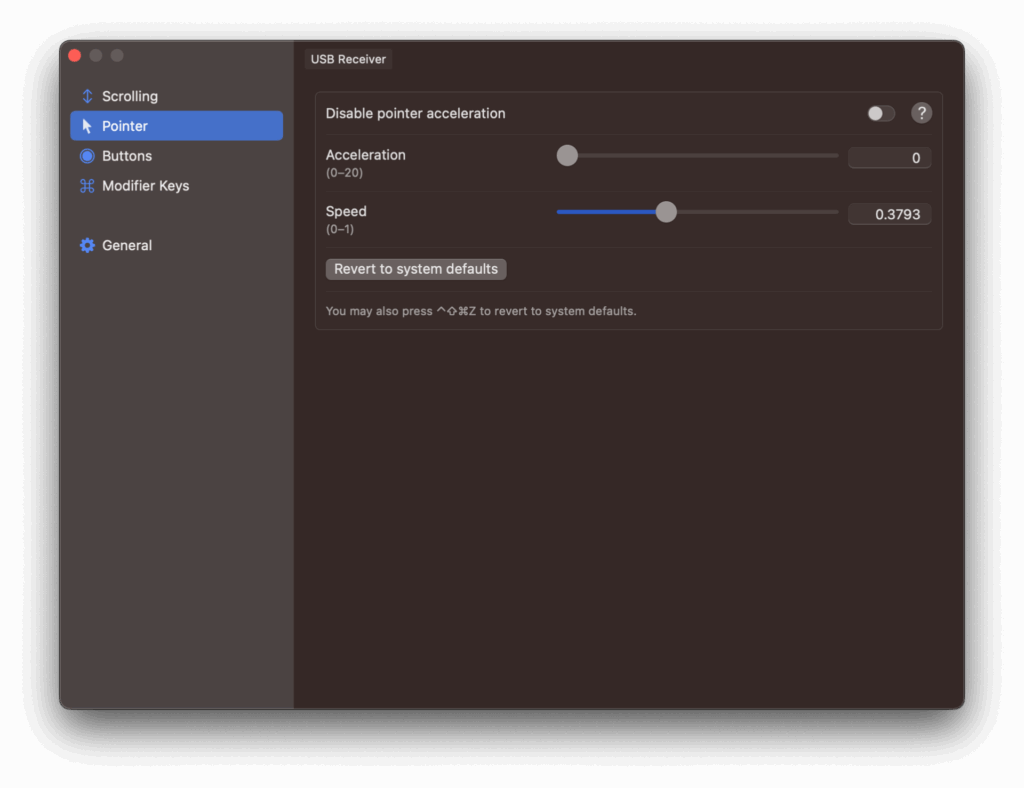
The good news is, LinearMouse appears to be a very close replacement for Logitech Options+ in most every way except for a few small things. There is a beta version of LinearApp which if you use gestures in the Logitech Options+ app, you’ll need this beta version for that. However, the beta version doesn’t currently include support for the MX Master 4 thumb button, but hopefully that’s something that will be added in the near future. The beta version I’m currently referencing is: 0.10.3-beta-2 which you can find by clicking that link.
Overall, this is instantly a replacement for the Logitech Options+ app that has now been uninstalled from my work MacBook Air and it won’t be installed on there or anywhere else ever again.
If you’re in the same boat as myself and the likes of Robb Knight, then I strongly encourage you to give LinearMouse a try. It appears to be completely free from what I’ve seen so far, so that’s another huge plus as well in my books.
There are other options if you’re not sold on LinearMouse, and those are BetterMouse, SteerMouse and Mac Mouse Fix. I’m sure there are possibly others out there that I’m not aware of either, but this is a great start to find something else for you to replace that now horrible Logitech Options+ app on your MacOS computer.
Let me know in the comments if you have run into the same issue and if so, what alternative did you go with in the end?
Comments