
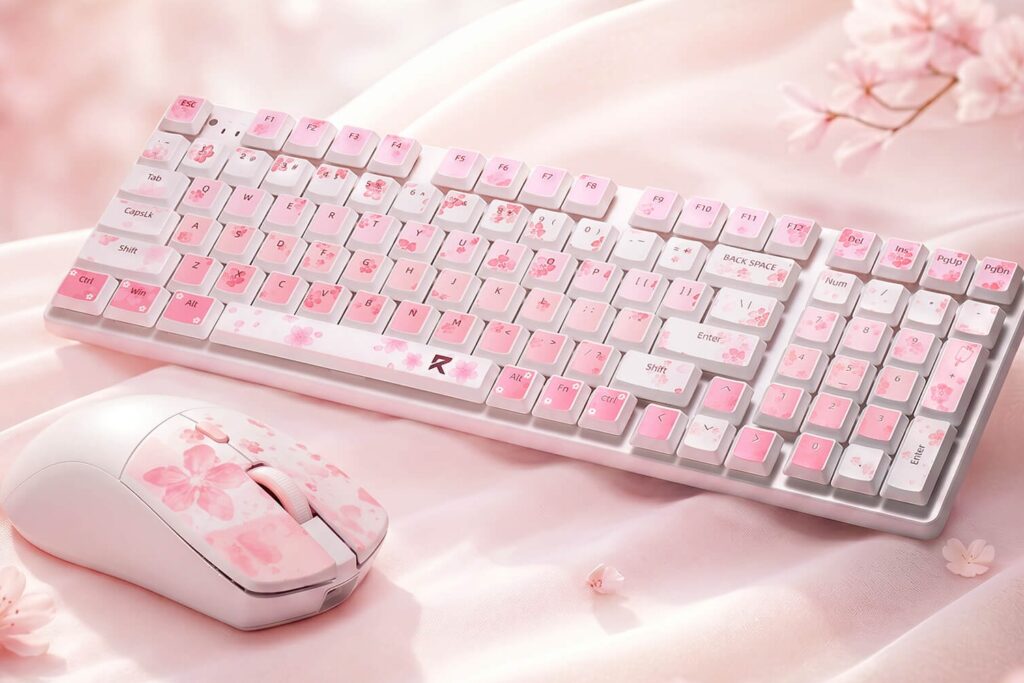
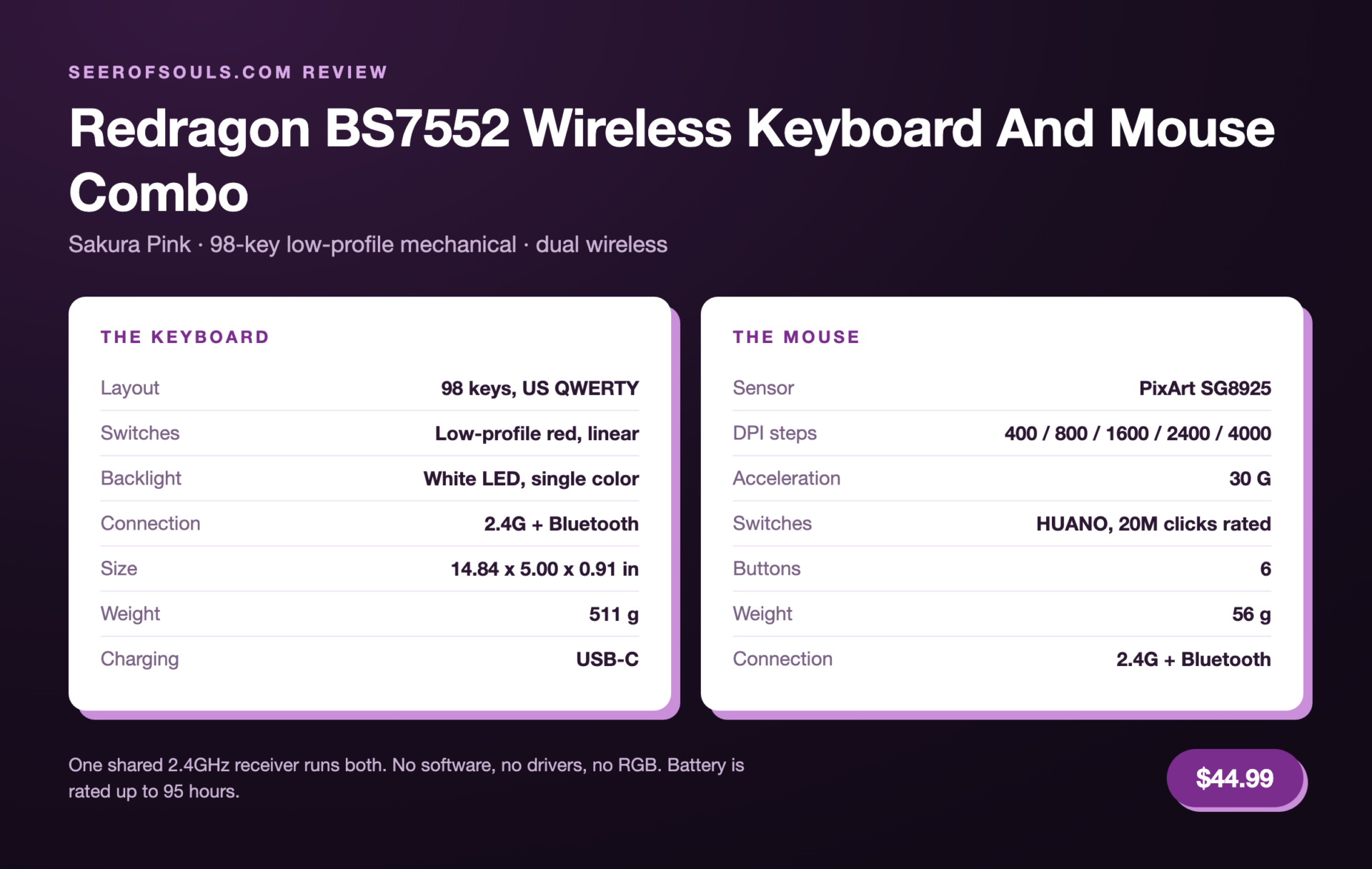
Redragon has sent me a lot of keyboards over the last few years, and most of them follow the same recipe: black case, RGB, gasket mount, done. The BS7552 Wireless Keyboard and Mouse Combo breaks that pattern in almost every way that matters. It’s a 98-key low-profile mechanical board with a 56 gram mouse in the box, it runs on 2.4GHz or Bluetooth, it charges over USB-C, and it sells for $44.99 in a Sakura Pink colorway that looks nothing like a gaming peripheral.
Budget combos usually mean a membrane keyboard with a mouse thrown in to make the price look better. This one ships real mechanical switches under slim keycaps and a PixArt sensor in the mouse, both on a single shared receiver. What it doesn’t ship is software, and that one omission shapes a lot of what follows.
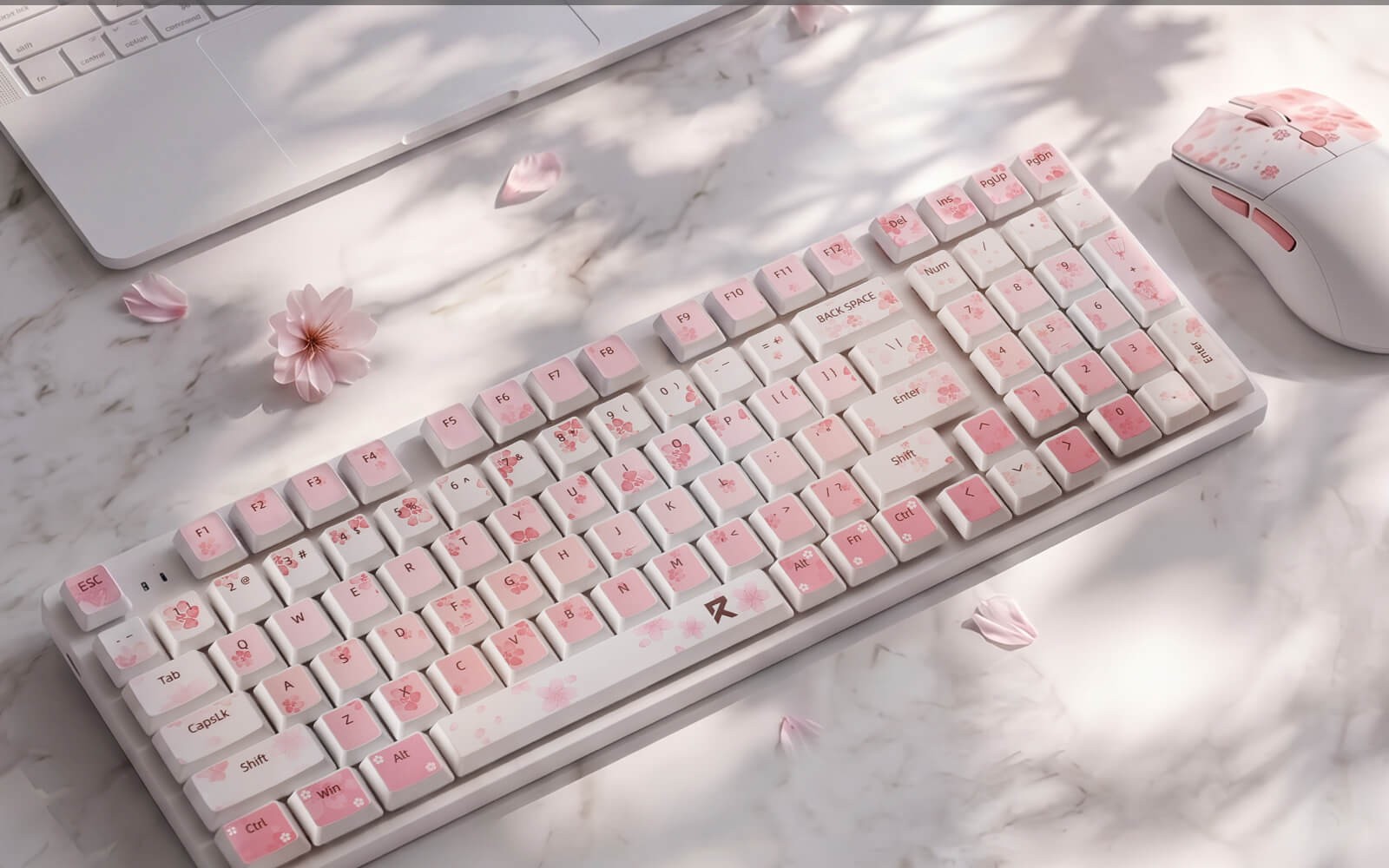
What Comes In The Box
- 98-key keyboard, US QWERTY
- Six-button wireless mouse
- One 2.4GHz receiver, shared by both devices
- USB-C charging cable
- Quick start manual
That single receiver is the detail I keep coming back to. Both devices pair to it, so the combo occupies one USB port instead of two, which matters on a laptop that has already given a port to a monitor and another to a card reader. Bluetooth is there as a second path for each device, so the keyboard can stay parked on the desktop while the mouse travels with the laptop, or the other way around.
Pair the shared receiver to the machine you type on all day and leave Bluetooth for the laptop or tablet. The low-latency link never moves, and the second device just shows up when you switch modes.
The Keyboard: 98 Keys Without The Full-Size Desk Tax
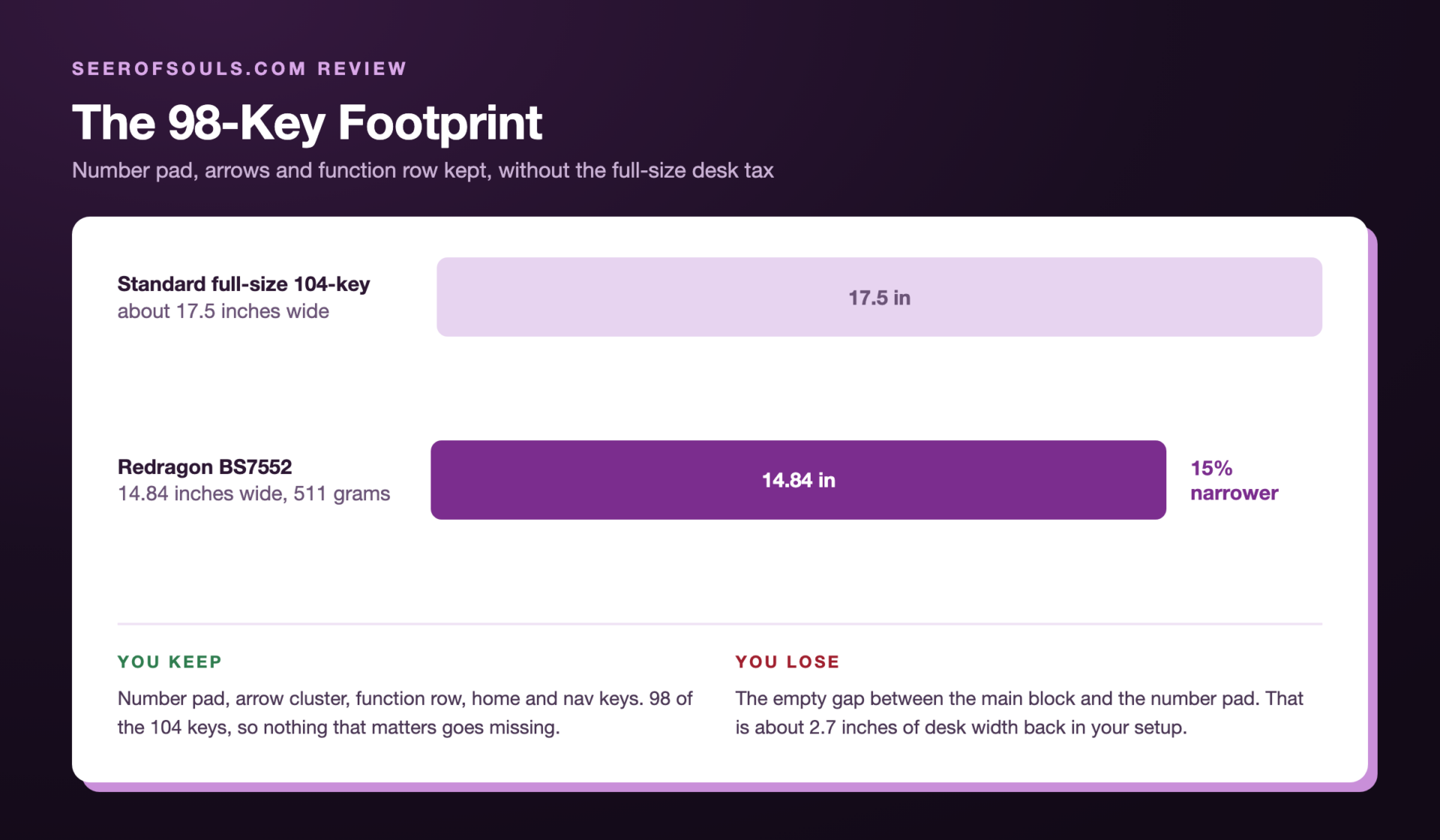
The keyboard measures 14.84 x 5.00 x 0.91 inches and weighs 511 grams. That’s noticeably narrower than a standard 104-key board because Redragon squeezed the navigation cluster into the number pad column, the same trick every 98-key and 96% design uses. You keep the number pad, the arrow keys, the function row, and the home cluster. You lose the strip of empty space between them.
For anyone who spends the day in a spreadsheet or a ticketing system, this layout hits a sweet spot. A full-size board eats desk space I’d rather give to the mouse, and a 75% board makes me reach for a separate number pad every time I need to enter more than a phone number. The 98-key layout puts everything within reach on a footprint that fits under a monitor riser.
The listing for the BS7552 keyboard and mouse combo is on Redragon’s own site, and that is where the $44.99 price comes from. If you would rather skip the layout math, the short version is 98 of the 104 keys on a board about 2.7 inches narrower.
Low-Profile Mechanical Typing, And The Tradeoffs
The switches are low-profile reds, which means linear travel with no click and no bump, in a housing roughly a third shorter than a standard mechanical switch. Actuation comes sooner, the sound is a soft thud instead of a clack, and the whole board sits closer to the desk, which keeps your wrists flatter through a long shift. The legs at the back raise the rear edge if you want more of a typing angle.
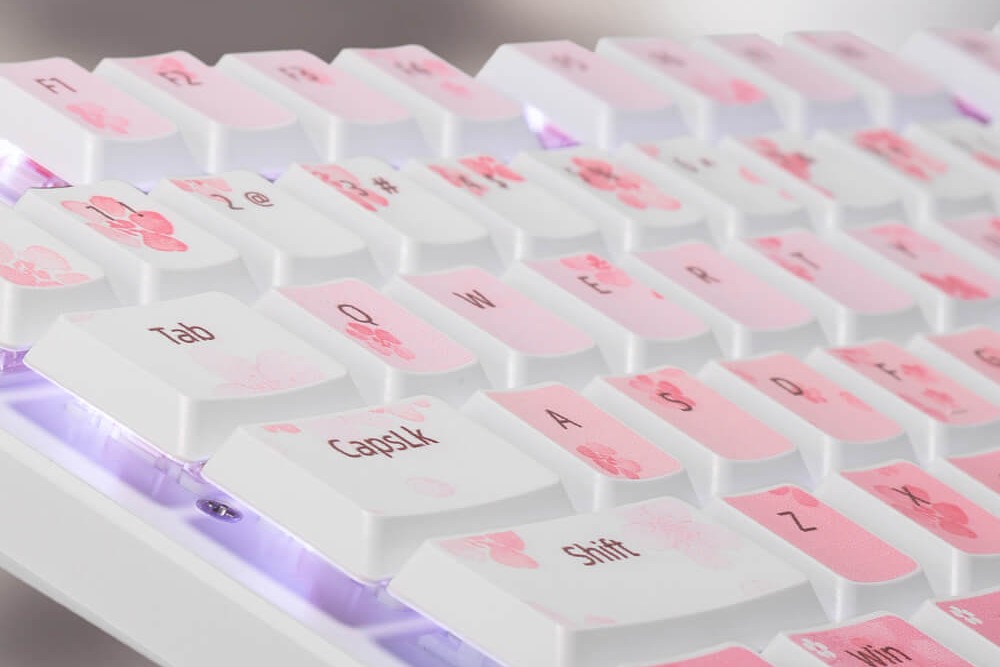
If you’ve only typed on full-height mechanical boards, the first hour will feel shallow and a little vague. Stick with it and the shorter travel starts to feel quick, particularly for the fast, repetitive typing that fills a support queue. The backlight is white LED in a single color, with steady, breathing, and off modes plus six brightness steps, so the legends light up evenly without turning the desk into a light show.
The keycaps are low-profile too, and that’s the point where I’d stop expecting to customize anything. Redragon doesn’t list hot-swap sockets for this board, and low-profile stems don’t take the same keycap sets as a standard mechanical keyboard.
Treat the BS7552 as a closed system. No hot-swap sockets are advertised, there’s no software to remap keys, and low-profile keycaps limit your aftermarket options. Buy it for how it types out of the box, because that’s how it will stay.
The Mouse: 56 Grams And A Real Sensor
The bundled mouse weighs 56 grams and measures 4.76 x 2.52 x 1.54 inches, which is compact without being one of those tiny travel mice that makes your hand cramp. Under the shell sits a PixArt SG8925 optical sensor, with 30G of acceleration and five DPI steps: 400, 800, 1600, 2400, and 4000.
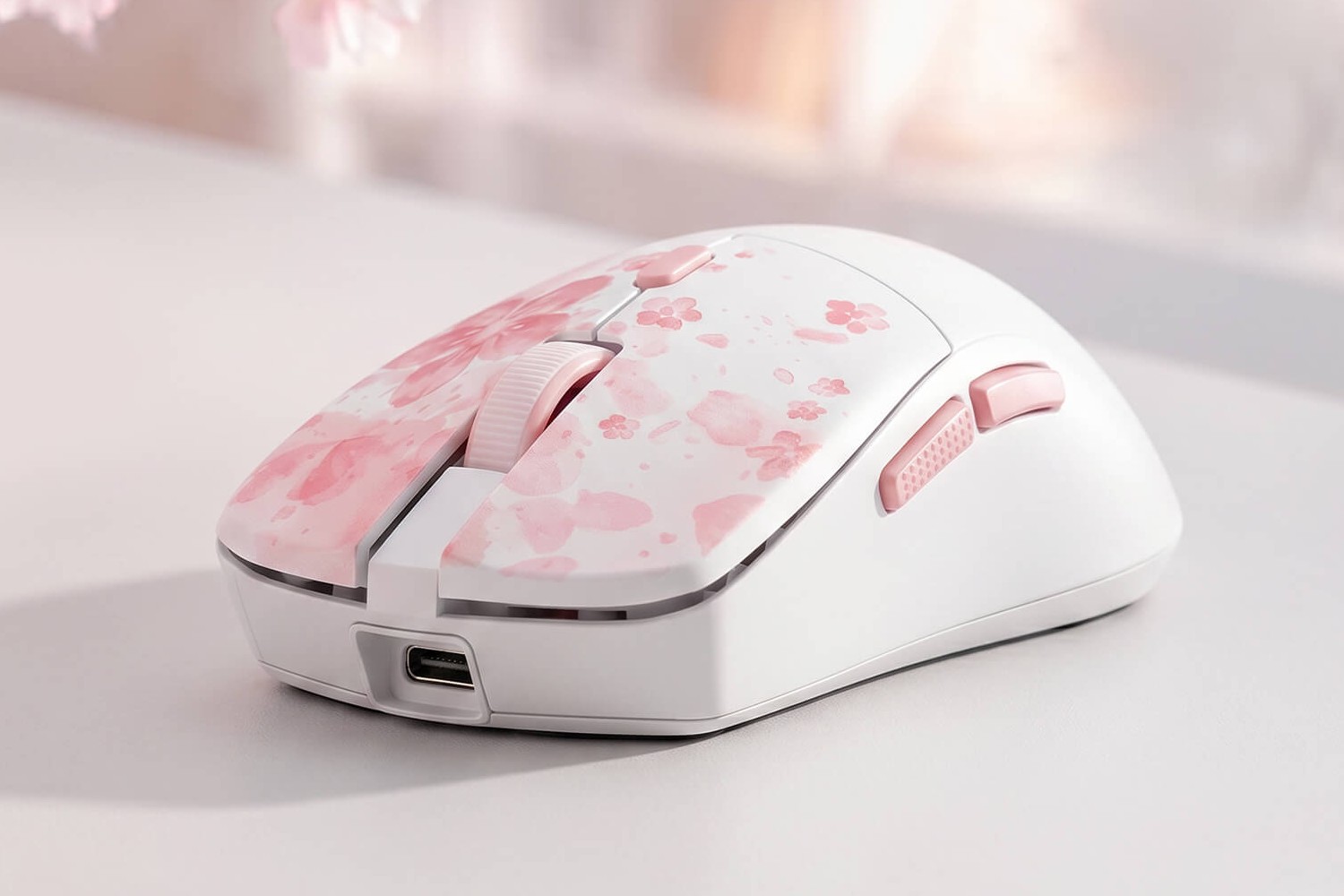
You change DPI from a button on the mouse itself, since there’s no software to open, and there are six buttons total with HUANO switches. One number worth flagging: the spec sheet rates those switches at 20 million clicks, while one of Redragon’s own product graphics says 10 million. I would trust the spec sheet, but treat either figure as rounded. For a mouse that arrives inside a $44.99 bundle, a named sensor and named switches are the difference between a throwaway and something you’d keep using if the keyboard ever died.
It is also sold as a bundle on Amazon as the Redragon BS7552 wireless 98-key combo, if you would rather buy there than direct.
Wireless, Charging, And What No Software Means
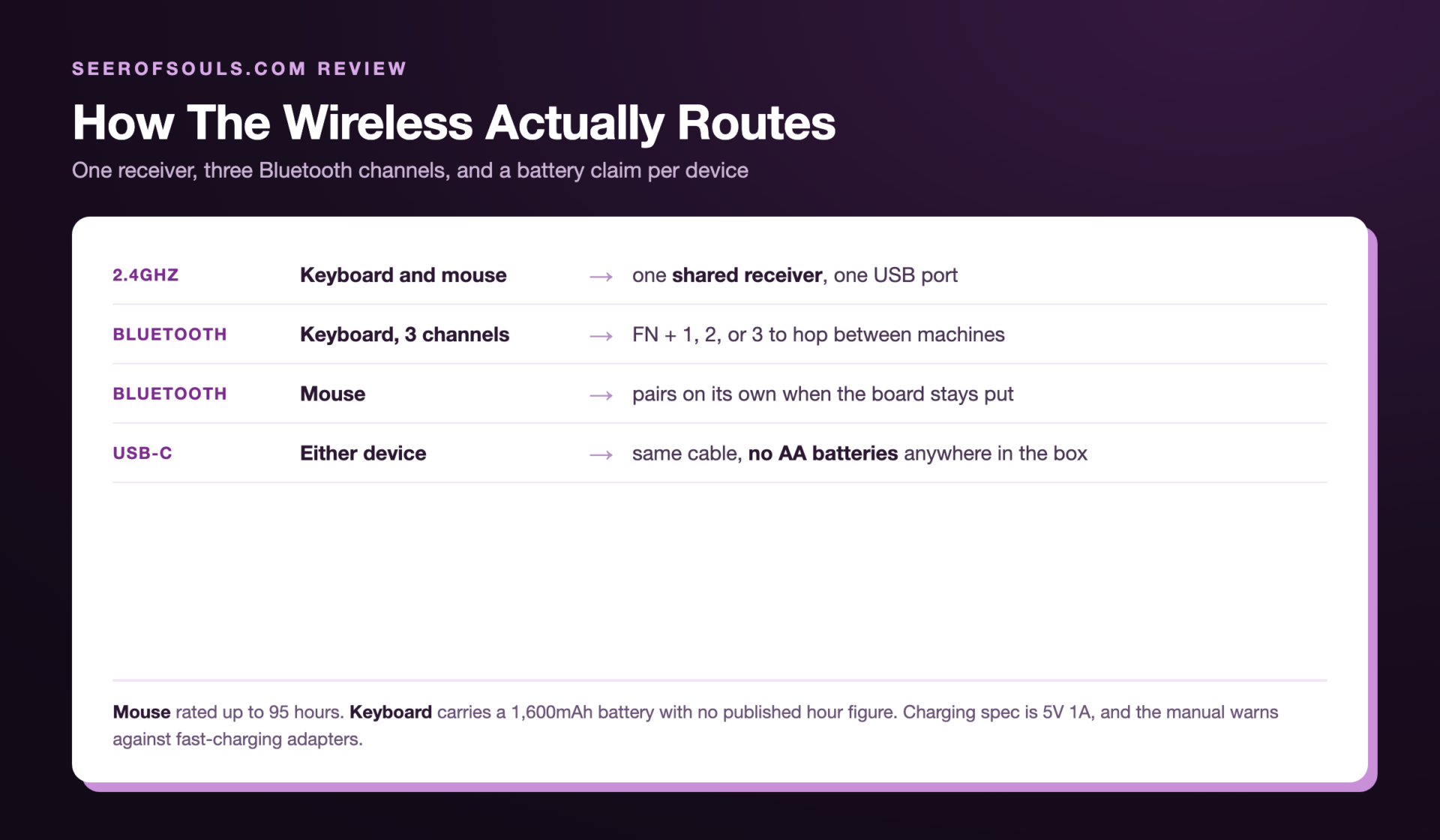
Both halves do 2.4GHz and Bluetooth, both recharge over USB-C, and the keyboard holds three Bluetooth pairings at once, so FN plus 1, 2, or 3 hops between a desktop, a laptop, and a tablet without re-pairing anything. The battery claims split between the two devices, which is easy to miss: Redragon rates the mouse at up to 95 hours, while the keyboard carries a 1,600mAh battery that the spec table never attaches an hour figure to. Ratings like that assume the backlight is off or dim and the devices sleep when you’re not typing, so plan a charging habit around your week instead of watching a countdown, because there’s no software to show a percentage on screen. Redragon’s manual asks for a 5V 1A charge and warns against fast-charging adapters, so reach for a plain USB port rather than the biggest brick on the desk.
No software also means no remapping, no macros, and no way to tune those five DPI presets. For a work keyboard and a mouse that follows it between rooms, that’s a fair trade at this price. For anyone who runs macros in games or remaps keys for a specific app, the combo runs out of road quickly.
What you get instead is a pair of devices that work the first time you plug the receiver in, on Windows or macOS, with no install step and nothing running in the background. I’ve written before about how much of the Antonium K745 Pro I run without its software, and the BS7552 simply removes that decision entirely.
The BS7552 is the combo I would hand to someone who has never owned a mechanical keyboard and doesn’t want to learn a hobby to buy one.Cliff
Pros And Cons
Pros

Low-Profile Mechanical Typing At A Combo Price: Real linear mechanical switches with short travel and a quiet sound, on a board that costs less than most standalone mechanical keyboards.

A Named Sensor In The Bundle: PixArt SG8925 with five DPI steps and HUANO switches the spec sheet rates at 20 million clicks.

One Receiver For Both Devices: The shared 2.4GHz dongle frees a USB port, with Bluetooth as a backup path for either device.

98-Key Layout: Number pad, arrows, and function row on a footprint that leaves room for the mouse.

USB-C Charging: No AA batteries to keep buying and no disposable cells in a drawer.
Cons

No Software At All: No remapping, no macros, no battery percentage, and no DPI tuning past the five presets.

Single-Color Backlight: White LED only, so there is no per-key color and no RGB. Steady, breathing, off, and six brightness steps is the whole menu.

4,000 DPI Ceiling: Plenty for desktop work and most gaming, short of what a dedicated gaming mouse reaches.

Closed System: No hot-swap sockets advertised, and low-profile keycaps limit what you can change later.

One Low-Latency Link: One receiver means one machine gets 2.4GHz, and everything else falls back to Bluetooth.
Who Should Buy It
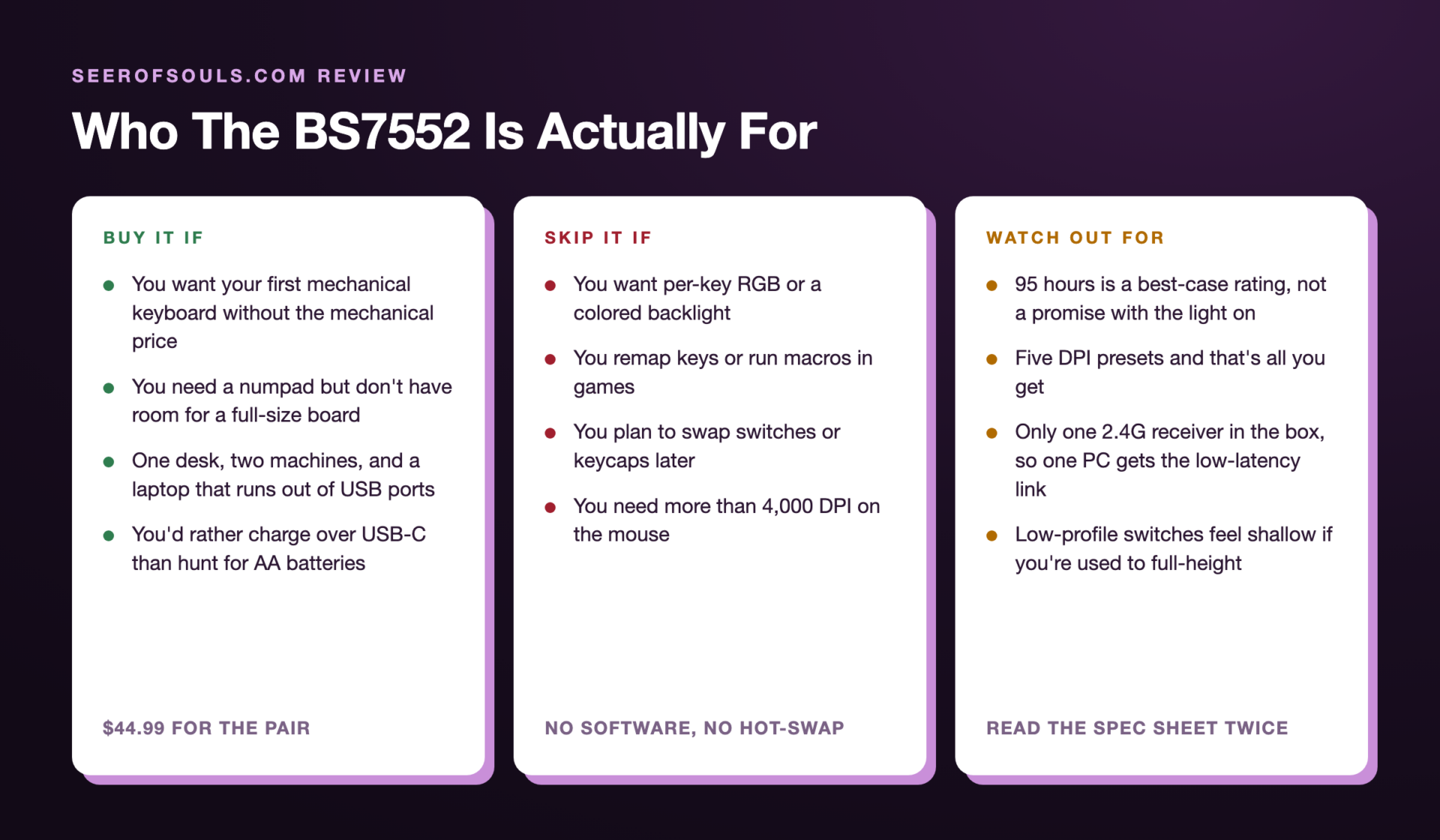
If you’re buying a first mechanical keyboard for a desk that also holds a work laptop, the BS7552 covers more ground than anything else I’ve reviewed at this price. You get the mechanical feel and the number pad, the mouse is good enough that you won’t replace it in a month, and the shared receiver keeps the cable situation sane. If you already own a hot-swappable board with RGB and a mouse with a 26,000 DPI sensor, nothing here will pull you away from either.
At $44.99, the BS7552 is a mechanical keyboard with a genuinely usable mouse attached, not a membrane board with a free gift in the box. The price is the feature, and the missing software is the trade you make for it.
Discount Code
Again, thanks to the awesome folks over at Redragon for allowing me to review this product and others they have sent over in the past. They have also provided me with a special URL that anyone can use to save a total of 10% off your entire purchase across their site. So if you’re interested in purchasing the Redragon BS7552 Wireless Keyboard and Mouse Combo, or any of their products, you can use the code DECRYPTED during checkout.
Final Thoughts
The Redragon BS7552 is the first combo in a long time that I’d recommend without a list of caveats about the mouse. The keyboard is the main event, with low-profile reds that feel quicker than they look and a 98-key layout that keeps the number pad without giving up the desk. The mouse holds its end up with a real PixArt sensor, a 56 gram shell, and switches rated for 20 million clicks. Neither one needs software, neither one needs batteries, and both charge from the same USB-C cable that probably already lives on your desk.
What you give up is everything adjustable. No remapping, no macros, no hot-swap, one color of backlight, and a 4,000 DPI ceiling. If that list reads like a dealbreaker, this isn’t your combo. If it reads like a reasonable set of compromises to get a mechanical keyboard and a solid mouse for $44.99, the BS7552 is an easy recommendation.
Product photos courtesy of Redragon.
Want More Like This?
I write about AI tools, automation, and the stuff I actually use. If this article helped, there is more where it came from.